YouTube Shorts Length and Size (Official Specs)
YouTube Shorts can be up to 3 minutes long. Any square or vertical video of 3 minutes or less, uploaded on or after October 15, 2024, is categorized as a Short. YouTube Help doesn't publish a recommended resolution for Shorts; Google Ads recommends 1080 × 1920 for vertical HD video ads.
Every value below links to its YouTube or Google source.
Last verified: 2026-10-07. YouTube changes these, so if your Short is close to a limit, check the linked page before uploading.
YouTube Shorts specs
| Spec | Official value | Source |
|---|---|---|
| Maximum length | Up to 3 minutes | YouTube Help: Upload YouTube Shorts |
| Aspect ratio | Square or vertical | YouTube Help: Upload YouTube Shorts |
| What counts as a Short | Square or vertical, up to 3 minutes, uploaded on or after October 15, 2024 (earlier uploads stay long-form videos) | YouTube Help: Three-minute Shorts |
| Vertical video over 3 minutes (YouTube app) | "Edit into a Short" trims it to 3 minutes or less | YouTube Help: Upload YouTube videos |
| Music and Content ID | Shorts over 1 minute with an active Content ID claim are blocked globally | YouTube Help: Three-minute Shorts |
| Upload several at once (computer) | Up to 15 short videos at a time | YouTube Help: Upload YouTube Shorts |
| Recommended resolution | Not published by YouTube Help for Shorts | – |
| Safe zone | Not published by YouTube Help for Shorts | – |
What Google Ads publishes for vertical video ads
These are official Google numbers, but they're for ads (including ads that run in Shorts), not regular Shorts.
| Spec (ads) | Official value | Source |
|---|---|---|
| Recommended size, vertical 9:16 HD | 1080 × 1920 px | Google Ads Help: Demand Gen asset specs |
| Ad length in the Shorts feed | Ads can be up to 3 minutes; only the first 60 seconds play in the Shorts feed | Google Ads Help: YouTube Shorts ads |
| Safe zone | A reference image for vertical video ads on a 1080 × 1920 canvas: keep key elements 288 px from the top, 672 px from the bottom, 48 px from the left and 192 px from the right | Google Ads Help: Square and vertical video |
What makes a video a Short?
Two conditions, both from YouTube Help: the video is square or vertical, and it's 3 minutes or less. Uploads from before October 15, 2024 stay long-form videos, even if they're short and vertical. Official Artist Channels have a later cut-off date (December 8, 2025). If you upload a vertical video longer than 3 minutes in the YouTube app or the YouTube Studio app, you can tap "Edit into a Short" to trim it to 3 minutes or less.
What size should a YouTube Short be?
YouTube Help only says "square or vertical". For a vertical Short, 1080 × 1920 (9:16) matches Google Ads' recommended size for vertical HD video ads, which makes it the closest official number. A square Short (1:1) also counts. If you already export 1080 × 1920 for TikTok or Reels, the same vertical file qualifies as a Short when it's 3 minutes or less.
How long should a YouTube Short be?
YouTube doesn't publish an ideal length, only the 3-minute limit. One rule does affect length: if your Short is over 1 minute and has an active Content ID claim, YouTube blocks it worldwide. With claimed music, stay at 1 minute or under, or the Short won't play at all. That's a painful way to lose a finished edit, so check the track before you cut to length.
Past that, let the point decide the length. A single tip fits about 30 seconds (65–90 spoken words). Here's how to write a short video script, including a section on Shorts.
YouTube Shorts safe zone
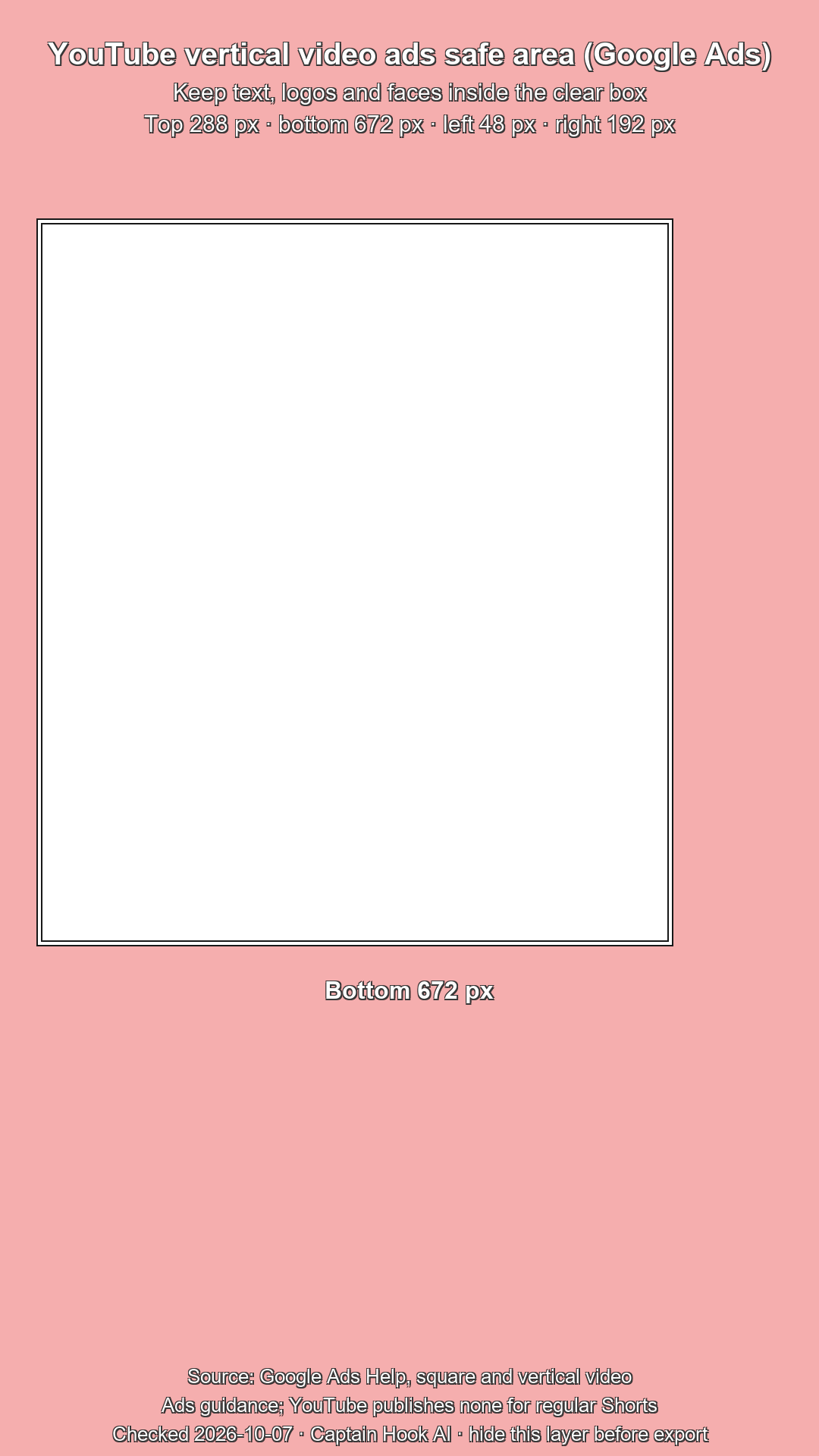
YouTube Help doesn't publish a safe zone for regular Shorts. Google Ads publishes a safe-area reference image for vertical video ads on a 1080 × 1920 canvas: 288 px at the top, 672 px at the bottom, 48 px on the left and 192 px on the right.
Grab a free 1080 × 1920 PNG (no account needed) with that area marked. Put it on a layer above your edit, keep text and faces inside the clear area, and hide the layer before you export. It follows Google's ad guidance; YouTube hasn't published a separate safe zone for regular Shorts.
Writing for Shorts
Captain Hook's Script Generator writes TikTok and Instagram Reels scripts only; it has no YouTube Shorts mode. For a Short, the five-beat method in how to write a short video script works as is. For the opening line, the Hook Generator gives you three angles for your topic. It has no YouTube option, so pick the TikTok setting for the opening line: the same vertical, swipe-to-skip format. There's a Free plan, no card needed.
Related
Questions
How long can YouTube Shorts be?
Up to 3 minutes. A square or vertical video of 3 minutes or less, uploaded on or after October 15, 2024, is categorized as a Short.
Are Shorts 3 minutes now?
Yes. YouTube Help lists Shorts as up to 3 minutes for square or vertical videos uploaded on or after October 15, 2024. Videos uploaded before that date keep their original long-form status.
Can a YouTube Short be 2 minutes?
Yes. Two minutes is under the 3-minute limit. If the Short has an active Content ID claim, though, anything over 1 minute is blocked globally: not playable, not recommended and not eligible for monetization.
What aspect ratio is a YouTube Short?
Square or vertical, per YouTube Help. Vertical 9:16 and square 1:1 both qualify; a horizontal video isn't categorized as a Short.
What size is a YouTube Short?
YouTube Help doesn't publish a resolution for Shorts. The closest official figure is Google Ads' 1080 × 1920 for vertical HD video ads, a 9:16 frame.
How long should YouTube Shorts be?
YouTube doesn't publish an ideal length. Keep it as short as the point allows, and at 1 minute or under if your music has a Content ID claim.